Tech & LightingArticle
Best Wireless Power Bank for Delivery Riders 2026: Keep Your Phone Alive All Shift
A dead phone at hour four of a dinner block costs you orders. Here are the best wireless power banks for delivery riders who cannot afford to lose their screen mid-shift.
A dead phone ends a shift. Not maybe. Not probably. Completely. Your navigation is gone. Your app is gone. Your accept-and-decline screen is gone. You are done for the night whether you want to be or not.
I learned this in my fourth month of delivery riding. I started a dinner block in Carroll Gardens with 80 percent battery, ran GPS and the DoorDash app simultaneously for three hours, and watched the phone die at 9pm in the middle of a pickup. I had no power bank. I went home. That was roughly two hours of a Friday dinner block I left on the table.
The power bank I bought that weekend cost $22. It has paid for itself more times than I can calculate.
How Much Battery Does a Delivery Shift Actually Use?
This is worth understanding specifically because the numbers are worse than most riders expect.
Running a delivery app with GPS navigation active, screen on at moderate brightness, and background data sync for order notifications drains a standard smartphone battery at roughly 15 to 20 percent per hour under normal conditions. In cold weather, battery drain accelerates. In hot weather with the processor working harder on navigation, it accelerates further.
A six-hour dinner block on a phone starting at 100 percent will land somewhere between 10 and 40 percent remaining, depending on your phone model, temperature, screen brightness, and whether you use data-heavy features. That is a wide range, and the lower end of it means a dead phone before the block ends.
The problem compounds if you start a shift with less than 100 percent. If you left the house at 70 percent and planned a four-hour block, you might be fine. If something runs long or the shift goes better than expected and you want to stay on, you are out.
A power bank removes the battery as a constraint on shift length. You charge when you want to go home, not when the phone forces you to.
Quick Comparison: Best Power Banks for Delivery Riders 2026
| Power Bank | Best For | Capacity | Wireless | Buy Now |
| Anker 633 Magnetic Battery | Best wireless, MagSafe compatible | 10,000mAh | Yes (Qi / MagSafe, 7.5W) | CHECK AMAZON PRICE |
| UGREEN MagFlow Magnetic Power Bank | Best for Android & universal compatibility | 10,000mAh | Yes (Qi2.2, 25W) | CHECK AMAZON PRICE |
| Anker Nano Power Bank (5K, MagGo, Slim) | Best for short blocks, pocketable | 5,000mAh | Yes (Qi2, 15W) | CHECK AMAZON PRICE |
| INIU SnapGo P73 | Best budget wireless, Qi2 magnetic | 10,000mAh | Yes (Qi2, 15W) | CHECK AMAZON PRICE |
A note on wireless versus wired: wireless charging is genuinely useful for delivery riders, but it comes with a trade-off. I will explain both properly.
Best Overall with Wireless Charging: Anker 633 Magnetic Battery
The Anker 633 is the power bank I use and the one I recommend first to delivery riders with iPhones. It snaps magnetically to the back of a MagSafe-compatible iPhone case, charges wirelessly at up to 7.5W via MagSafe or 10W via standard Qi, and has a USB-C port for wired charging when you need faster speeds.
The 10,000mAh capacity provides roughly one and a half to two full iPhone charges depending on your model. For a six-hour block, that is more than enough overhead to keep the phone alive without thinking about it.
The magnetic attachment is the genuinely useful delivery feature. You snap it to the back of your phone, drop the phone into the mount, and it charges through the shift without any cable to manage. When you get to a pickup, you unclip the phone from the mount, the power bank stays on the back, and you walk in. No cable dangling from the phone. No cable catching on the delivery bag strap.
The one thing I do not love about it:
Wireless charging is slower than wired. At 7.5W MagSafe output, it tops up your phone gradually rather than quickly. If you start a shift at 30 percent and need to be at 80 percent before hour three, wireless will not get you there fast enough. In that situation, plug in wired via the USB-C port instead. The 633 supports both simultaneously if needed.
It also only works wirelessly with MagSafe-compatible iPhones (iPhone 12 and later) or Android phones with a MagSafe case and Qi2 support. If you are on a non-MagSafe Android, you get Qi wireless at reduced speeds. The wired USB-C port works for any device.
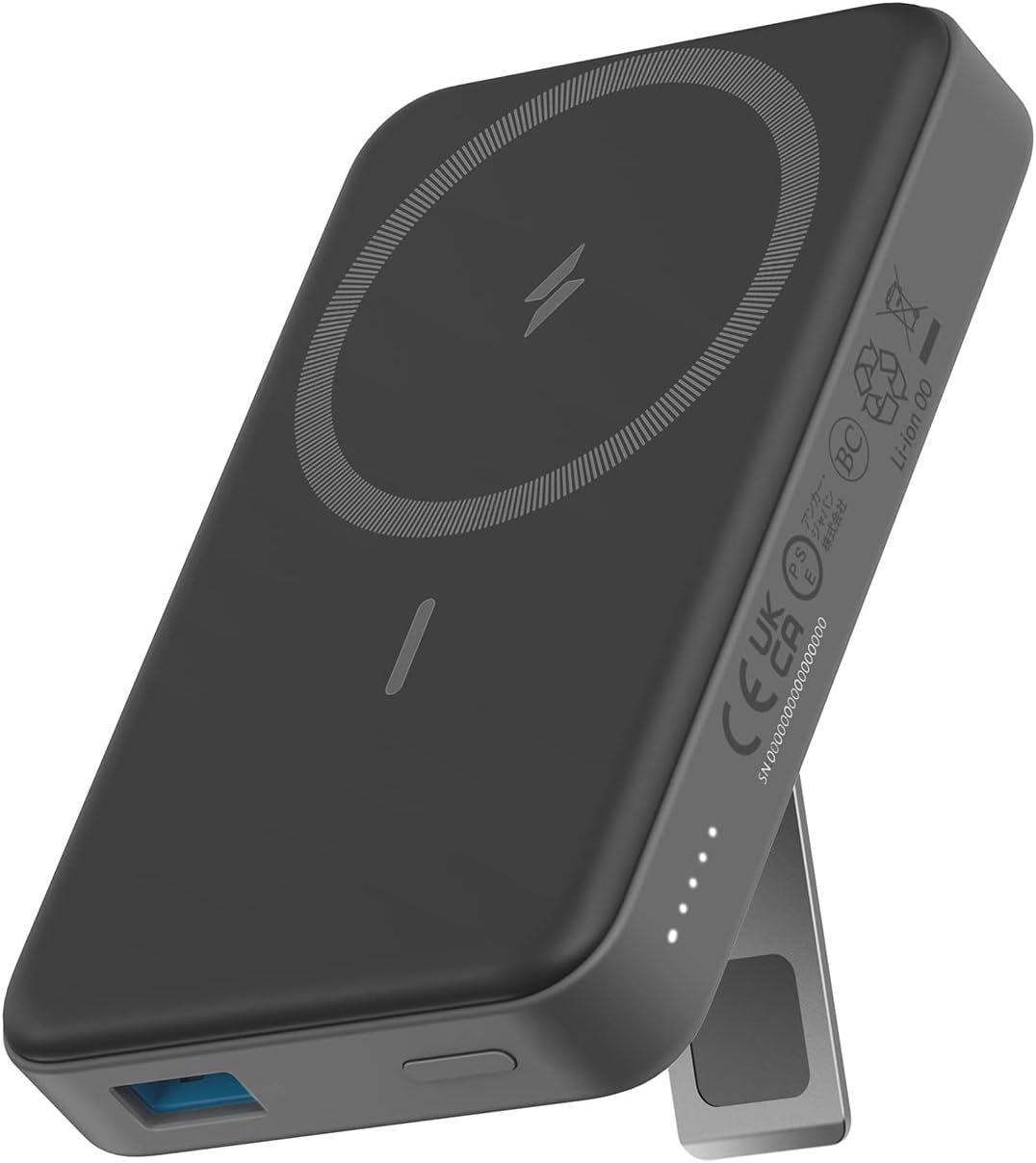
- Same core performance as the MagGo (15W MagSafe, 10,000mAh, pass-through charging)
- Foldable design doubles as a phone stand at home between shifts
- Folds flat against the phone during a shift with minimal disruption
- Slightly thicker than the Ultra-Slim MagGo
- Foldable kickstand adds noticeable bulk in a tight chest pocket on long shifts
Best for Android & Universal Compatibility: UGREEN MagFlow Magnetic Power Bank
If you are on Android, or you just want one wireless power bank that performs well regardless of phone brand, the UGREEN MagFlow is the strongest option in this lineup. It is Qi2.2 certified and pushes 25W wirelessly, nearly double the Anker 633's 7.5W MagSafe output, and the magnetic alignment now works with a growing list of Android phones that have built-in magnetic rings or Qi2 cases, not just iPhones.
The 10,000mAh capacity matches the Anker 633, so it covers the same six-hour block without thinking about it. The standout difference is the built-in 30W USB-C cable, which doubles as a carry strap: there is no separate cable to forget, and wired charging through that cable is faster than the 633's wired port too. A small battery-percentage display on the side also beats the LED-dot indicators most competitors use.
The one thing I do not love about it:
The 25W wireless ceiling only applies if your phone supports it. Recent iPhones (16 and 17 series) get the full speed; older iPhones and most Android phones without Qi2.2 fall back to 15W or slower, the same as a standard Qi2 bank. It is also slightly heavier and chunkier than the Anker 633, since the higher wireless wattage needs more cooling hardware inside. If the thinnest possible wireless option matters more to you than raw speed, the next pick is the better fit.
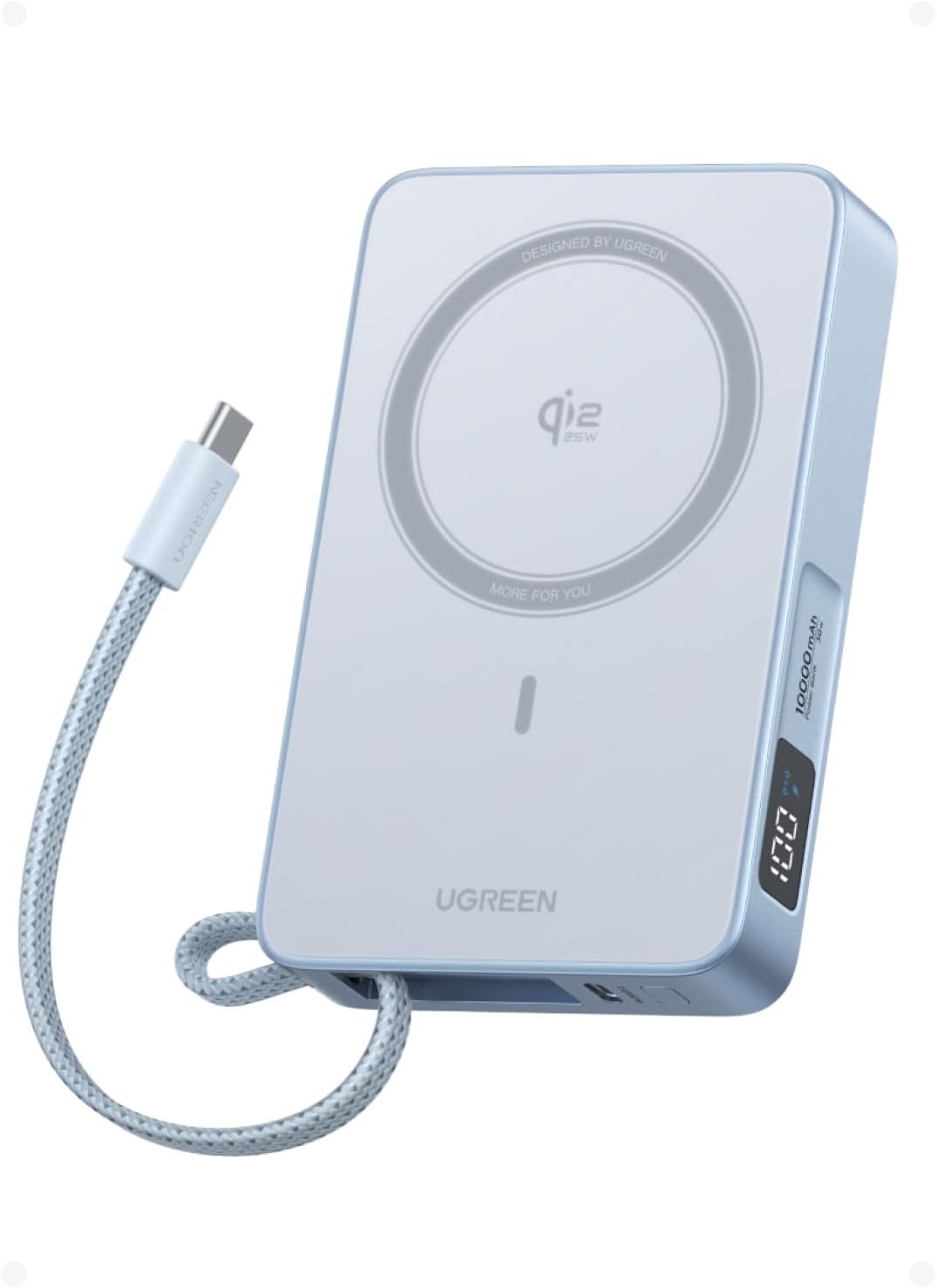
- 25W Qi2.2 wireless, nearly double the Anker 633's speed
- Built-in 30W USB-C cable doubles as a carry strap, nothing extra to pack
- Battery-percentage display is more precise than LED-dot indicators
- Real magnetic alignment on a growing list of Android phones, not just iPhone
- Bulkier and heavier than the other three picks due to extra cooling hardware
- Full 25W speed only applies on iPhone 16/17; everything else drops to 15W or less
- Newer to the delivery-rider space than Anker, less shift-specific durability data
Best for Short Blocks: Anker Nano Power Bank (5K, MagGo, Slim)
If your typical shift runs three to four hours and you are starting with a reasonably charged phone, a 10,000mAh power bank is more capacity than you need to carry. The Anker Nano (5K, MagGo, Slim) drops to a 5,000mAh cell in a 0.3-inch profile, about as thin as the phone it is charging, while keeping the same Qi2 15W magnetic charging as the step-up Anker 633.
It snaps to the back of a MagSafe-compatible iPhone the same way the 633 does, so the mount-and-go workflow does not change, you are just carrying noticeably less bulk for a shorter shift. A 20W USB-C port handles wired charging when you need it faster, and Anker's graphene cooling keeps the unit from running hot during sustained wireless charging, which matters when it is sandwiched against your phone in a pocket all shift.
The one thing I do not love about it:
5,000mAh is enough for a partial top-up, not a full recharge from empty. On an iPhone, expect roughly 75 to 80 percent back, not 100. If your shift runs long unexpectedly, or you started the day below 50 percent, this is the wrong pick. That is exactly the situation the 10,000mAh options above are built for.
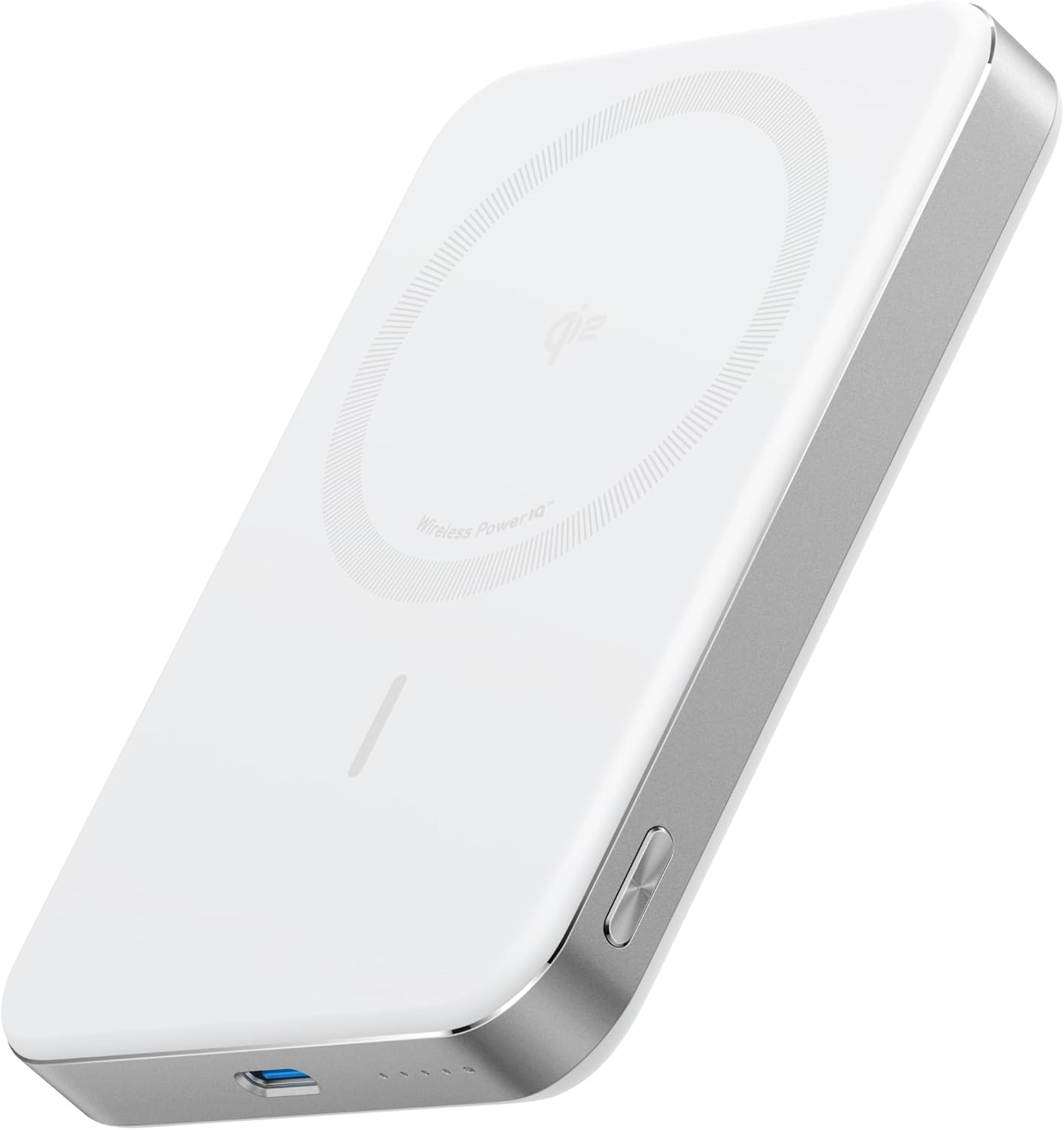
- Qi2 certified at 15W, the current max for MagSafe wireless charging
- Genuinely pocketable at 7.2 oz and 0.58 inches thick
- Metal frame and matte finish hold up well to daily delivery wear
- Strong magnetic alignment that stays attached through mounting and dismounting cycles
- 15W output is enough to maintain battery level (not just slow the drain) when running DoorDash and Uber Eats simultaneously with GPS and screen on
- Full 15W speed only works on iPhones with MagSafe support (iPhone 12 and later)
- Drops to standard Qi speeds (7.5 to 10W) on Android phones without a Qi2 case
- Highest price point on the list
Best Budget Wireless: INIU SnapGo P73
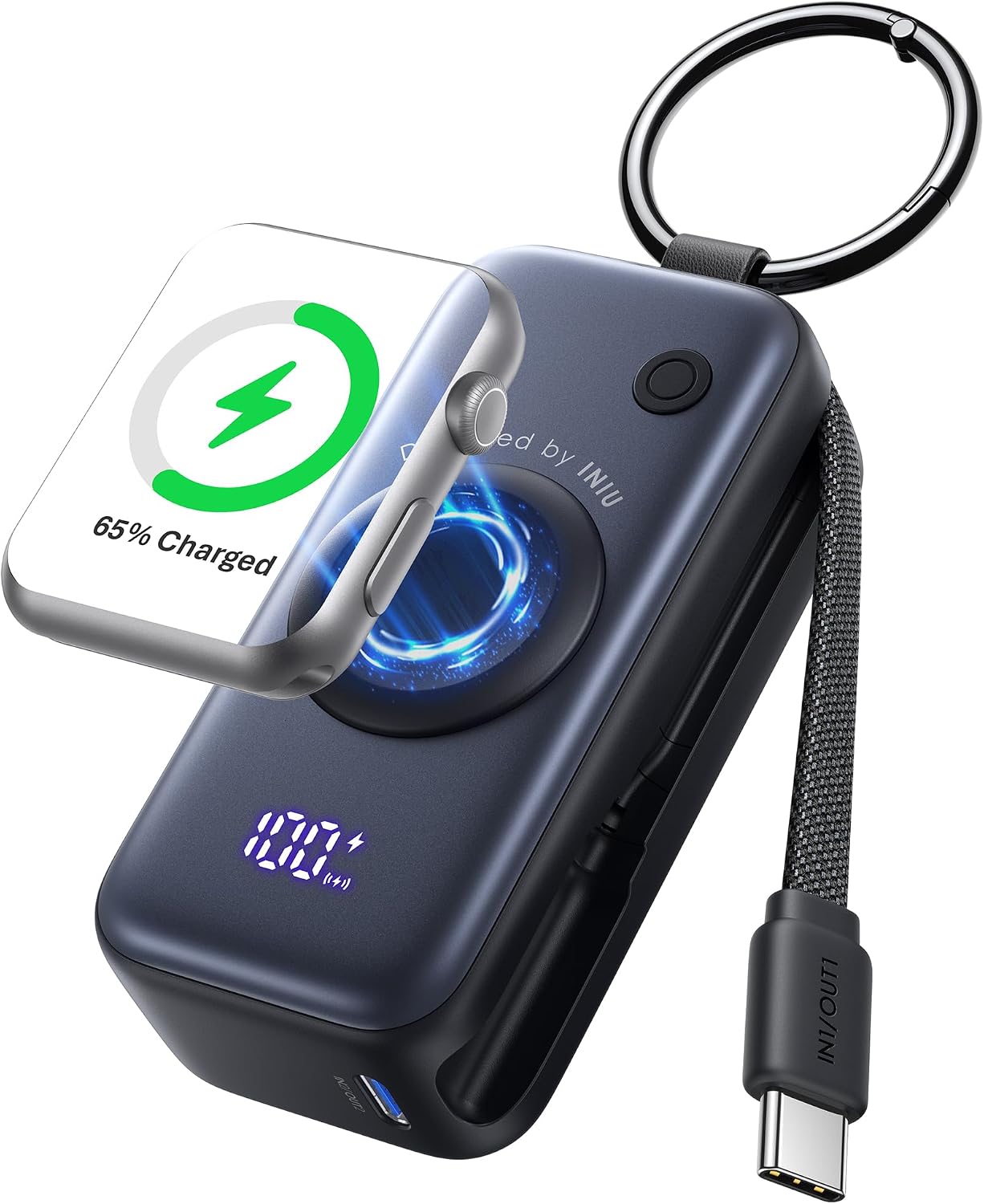
If you want the magnetic, mount-and-go convenience of the Anker 633 without spending what the 633 costs, the INIU SnapGo P73 is the closest match on the market. INIU has held the top spot in Amazon's portable power bank category for several years running, and the SnapGo P73 brings Qi2-certified 15W magnetic wireless charging to a 10,000mAh pack at a meaningfully lower price than the 633.
It snaps to the back of any Qi2 or MagSafe-compatible iPhone (12 through 17) the same way the Anker 633 does, and in practice it charges faster than the 633's 7.5W MagSafe output, since Qi2 runs at a full 15W. INIU's TinyCell battery construction keeps the body to about half an inch thick, so it does not add real bulk riding in a jacket pocket. A 45W USB-C port covers wired charging for a faster top-up than the wireless pad delivers, and a fold-out stand props the phone up when it is off the mount.
INIU backs the SnapGo P73 with a 3-year warranty, which is longer coverage than most power banks in this price range carry, including some of Anker's own lineup.
The one thing I do not love about it:
The magnetic snap and full 15W speed are built around current iPhones. On Android, the SnapGo P73 still charges wirelessly, but you lose the magnetic alignment and drop to standard Qi speeds - the same trade-off the Anker 633 has, just worth repeating here. INIU is also a newer name on the delivery-rider radar than Anker, so it has less of a multi-year track record running through daily shift abuse specifically. The 3-year warranty is the safety net while that history builds.
- Lowest price of the three magnetic wireless options in this guide
- Qi2 15W charging, faster than the Anker 633's 7.5W
- 3-year warranty, longer than most competitors at this price point
- About half an inch thick despite the lower cost, no real bulk added
- Newer brand name in the delivery-rider space than Anker
- Magnetic snap and full speed are iPhone-optimized; Android drops to standard Qi
- Less multi-year durability data under daily shift abuse specifically
Wireless vs Wired: Which Makes More Sense for a Delivery Shift?
This is worth answering directly because most power bank articles do not address the delivery-rider-specific use case.
Wireless is better if:
- You have an iPhone 12 or later with a MagSafe case
- You use a phone mount and want charging to happen passively without cable management
- Your shifts are consistent lengths and battery management is a background task rather than active management
Wired is better if:
- Your phone does not support Qi2 and only gets reduced-speed wireless as a result
- You need to top up quickly before a block (wired is still faster than any wireless pad, even at 25W)
- You would rather plug in than rely on magnetic alignment staying put inside a bag or mount
The practical setup I use:
Anker 633 on the back of the phone via MagSafe during a shift. Wired charging via USB-C from a wall charger between shifts to refill the power bank and top up the phone simultaneously. The wireless charging during the shift is passive and does not require any cable management. The fast wired charging between shifts gets everything back to full before the next block starts.
How to Carry a Power Bank on a Delivery Shift
This sounds obvious but it is not. The wrong carry method creates friction that makes you less likely to actually use the power bank you bought.
Jacket chest pocket. The best location for most riders. Close to the phone, easy access, the weight sits on your chest rather than your hip. If you have a magnetic power bank, you can snap it to your phone before mounting and it stays attached through the shift without any active management.
Delivery bag exterior pocket. Works if your bag has a dedicated outer pocket and a short cable can reach your phone while it is in a handlebar mount. The issue is that when you take the bag off at a restaurant stop, the cable is attached to the mount and creates tension. Manageable but adds friction.
Jacket interior pocket. Good for keeping the power bank secure through the shift. The cable routing is slightly more involved since it needs to come out of the interior and reach the mount. A short angled USB-C cable makes this cleaner.
The setup that requires the least active management is the magnetic wireless option in the chest pocket, snapped to the back of the phone in the mount. It is the closest thing to forgetting the power bank is there while still having it work.
How Long Does a Power Bank Last Before It Needs Replacing?
A quality power bank with lithium-ion cells maintains most of its original capacity for 300 to 500 full charge cycles. At one full charge cycle per shift, working three shifts per week, that is roughly two to three years before you notice a meaningful capacity reduction.
The signs a power bank is aging: it does not get the phone as high as it used to on a full discharge, it takes significantly longer to recharge from empty, or it runs warm during charging when it did not used to. None of those are immediate problems, but they indicate the internal cells are degrading.
Budget power banks from unknown brands may reach this degradation point in months rather than years. The price premium on established brands like Anker, INIU, and UGREEN exists largely because the cell quality and battery management circuitry are significantly better than the average no-name competitor at the same listed capacity.
The Full Phone Setup for a Delivery Shift
A power bank keeps the phone alive. Two other pieces complete the setup.
A phone mount keeps the screen visible and hands-free so you can see navigation without holding the phone. If you are using a magnetic wireless power bank, the mount and the power bank work together: the power bank snaps to the phone, and the phone with the bank attached goes into a MagSafe-compatible mount. Best Motorcycle Phone Mount for Delivery Riders
A weatherproof setup for rain shifts. If you ride in rain, your phone and the power bank need to stay dry. A magnetic power bank against the back of a waterproof phone case handles the phone side. Storing the power bank in an interior jacket pocket rather than a bag exterior pocket handles the bank side. Waterproof Motorcycle Gear for Delivery Riders
The full tech and gear setup for a first shift is in the delivery rider starter guide: 9 Things Every Gig Delivery Rider Needs Before Their First Shift
The Bottom Line
A power bank is not tech gear. It is income protection. A six-hour dinner block cut short at hour four because of a dead battery is two hours of earnings lost that you cannot get back.
The Anker 633 is the pick for iPhone riders who want wireless charging and the cleanest mount-and-go setup. The INIU SnapGo P73 gets you that same magnetic setup at a lower buy-in if cost is the deciding factor, and it actually out-charges the 633 on paper thanks to Qi2's 15W speed. The UGREEN MagFlow is the pick if you are on Android, want the fastest wireless speed in this lineup, or do not want to carry a separate cable. The Anker Nano (5K, MagGo, Slim) is the pick for short blocks where a full 10,000mAh bank is more than you will use. All four come from brands with a real track record in the category, and all four charge wirelessly, so the choice comes down to speed, capacity, and phone compatibility rather than whether wireless is even on the table.
Buy one before the next shift where you feel the battery ticking down and you think about whether to take one more order.