
Tech & LightingArticle
Best Compact Power Bank for DoorDash & Uber Eats Riders 2026
A power bank for DoorDash and Uber Eats needs to be pocketable, charge while you navigate, and work wirelessly so your mount stays clean. Here are the ones worth carrying.
Running DoorDash and Uber Eats simultaneously from the same phone is the most efficient way to maximize earnings on a shift. It is also the fastest way to drain a battery. Two apps running navigation, two apps pinging for orders, one screen staying on for both. Standard phone batteries were not designed for this.
A compact power bank that fits in a jacket pocket and charges while you ride is the solution that requires no change to how you work. You do not stop to charge. You do not plug into a restaurant outlet and wait. You put the power bank in your pocket before the shift, and the phone stays alive for as long as you want to ride.
This article covers the specific requirements for DoorDash and Uber Eats riders, the picks that meet them, and the one question most riders do not ask before buying.
What Makes a Power Bank Right for DoorDash and Uber Eats Specifically
A general-purpose power bank article will tell you to buy the highest capacity option in your budget. That is not wrong for a traveler stuck in an airport. For a delivery rider, the requirements are more specific.
It needs to fit in a jacket pocket without bulk. You are mounting and dismounting a bike 25 to 30 times per shift. A large power bank in a hip pocket catches on the bike frame. A heavy bank in a chest pocket throws off balance on quick stops. Compact form factor is not a preference. It is a function requirement for this type of riding.
It needs to charge while navigation is running. This is called pass-through charging, and not all power banks support it properly. A bank that pauses output when it detects a USB-C wall charger connected is useless at a mid-shift charging stop. You need a bank that can receive charge from a wall outlet or bike-mounted charger while simultaneously sending charge to your phone.
Wireless charging compatibility simplifies the mount setup. If you are using a MagSafe-compatible phone mount and a MagSafe power bank, the bank snaps to the back of the phone, the phone goes into the mount, and everything charges passively through the shift. No cable to manage. No cable catching on the delivery bag. For riders running two platform apps, removing one variable from the setup is worth having.
10,000mAh is the right capacity for a single shift. Larger banks offer more charges but add weight and bulk. A 10,000mAh battery provides one and a half to two full phone charges, which covers any realistic delivery shift for most phone models. You charge the bank overnight and start each shift at full capacity. You do not need to carry more than one shift's worth of power.
Quick Comparison: Best Compact Power Banks for DoorDash & Uber Eats Riders 2026
| Power Bank | Best For | Wireless | Pass-Through | Capacity | Buy Now |
| Anker MagGo 10K Ultra-Slim | Best overall, iPhone riders, MagSafe | Yes, 15W Qi2 | Yes | 10,000mAh | CHECK AMAZON PRICE |
| Anker 633 Magnetic Battery | Best value MagSafe option | Yes, 15W | Yes | 10,000mAh | CHECK AMAZON PRICE |
| Baseus 10,000mAh Magnetic | Best Android wireless option | Yes, 15W Qi | Yes | 10,000mAh | CHECK AMAZON PRICE |
| Anker 533 PowerCore 10K | Best wired, lightest carry | No | Yes | 10,000mAh | CHECK AMAZON PRICE |
Best Overall: Anker MagGo 10K Ultra-Slim
The Anker MagGo Ultra-Slim is the pick for iPhone riders running DoorDash and Uber Eats simultaneously. It is Qi2 certified at 15W, which is the current maximum for MagSafe wireless charging, it weighs 7.2 ounces, and at 0.58 inches thick it is genuinely pocketable alongside everything else in a jacket chest pocket.
The metal frame and matte finish hold up to daily delivery use without the surface degradation that cheaper power banks show within a few months. The magnetic alignment is firm enough that the bank stays attached to the back of the phone through a shift without coming loose from handlebar vibration or the repeated motion of mounting and dismounting.
Where this earns its place for multi-apping riders specifically: the 15W Qi2 output keeps the phone battery stable under combined DoorDash and Uber Eats navigation load rather than just slowing the rate of drain. On my test setup running both apps simultaneously with GPS and screen on, a 15W wireless output was enough to maintain battery level across a three-hour block rather than extending run time by 20 percent as a slower charger would.
The one thing I do not love about it:
The Qi2 wireless charging works at full 15W only on iPhones with MagSafe support (iPhone 12 and later). On Android phones without a Qi2 case, the wireless drops to standard Qi speeds, typically 7.5 to 10W, which is still useful but not the headline speed. If you are on Android and wireless charging is a priority, verify your phone's Qi2 compatibility before ordering.
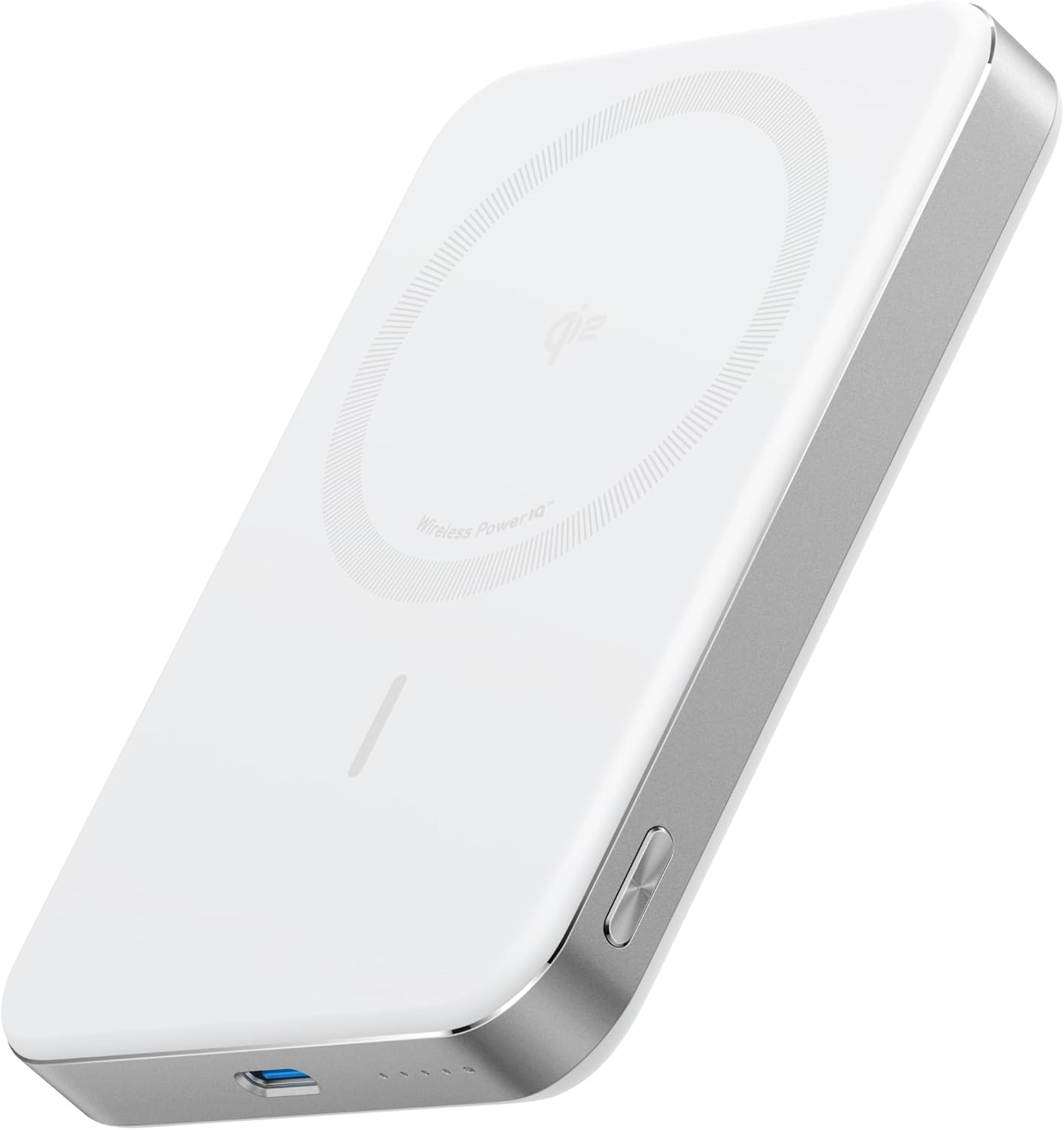
- Qi2 certified at 15W, the current max for MagSafe wireless charging
- Genuinely pocketable at 7.2 oz and 0.58 inches thick
- Metal frame and matte finish hold up well to daily delivery wear
- Strong magnetic alignment that stays attached through mounting and dismounting cycles
- 15W output is enough to maintain battery level (not just slow the drain) when running DoorDash and Uber Eats simultaneously with GPS and screen on
- Full 15W speed only works on iPhones with MagSafe support (iPhone 12 and later)
- Drops to standard Qi speeds (7.5 to 10W) on Android phones without a Qi2 case
- Highest price point on the list
Best Value MagSafe: Anker 633 Magnetic Battery
The Anker 633 is the version of this recommendation that has been on this site since the 9 Things first-shift guide, and it belongs here too. It is $10 to $15 less than the Ultra-Slim MagGo, slightly thicker, and has a foldable design that also functions as a phone stand.
For riders who want MagSafe wireless charging without spending $55, the 633 delivers the same core function. The 15W MagSafe output, the 10,000mAh capacity, and the pass-through charging work identically to the MagGo at a lower price point. The foldable stand is useful at home between shifts for setting the phone up while the bank charges it. During a shift it folds flat against the back of the phone and stays there.
The one thing I do not love about it:
The foldable kickstand adds slight bulk compared to the Ultra-Slim MagGo. In a tight chest pocket during a long shift, that extra profile is noticeable. For riders who prioritize the thinnest possible carry, the MagGo is worth the extra $10. For riders who want the lowest price MagSafe option that does everything needed, the 633 is the pick.
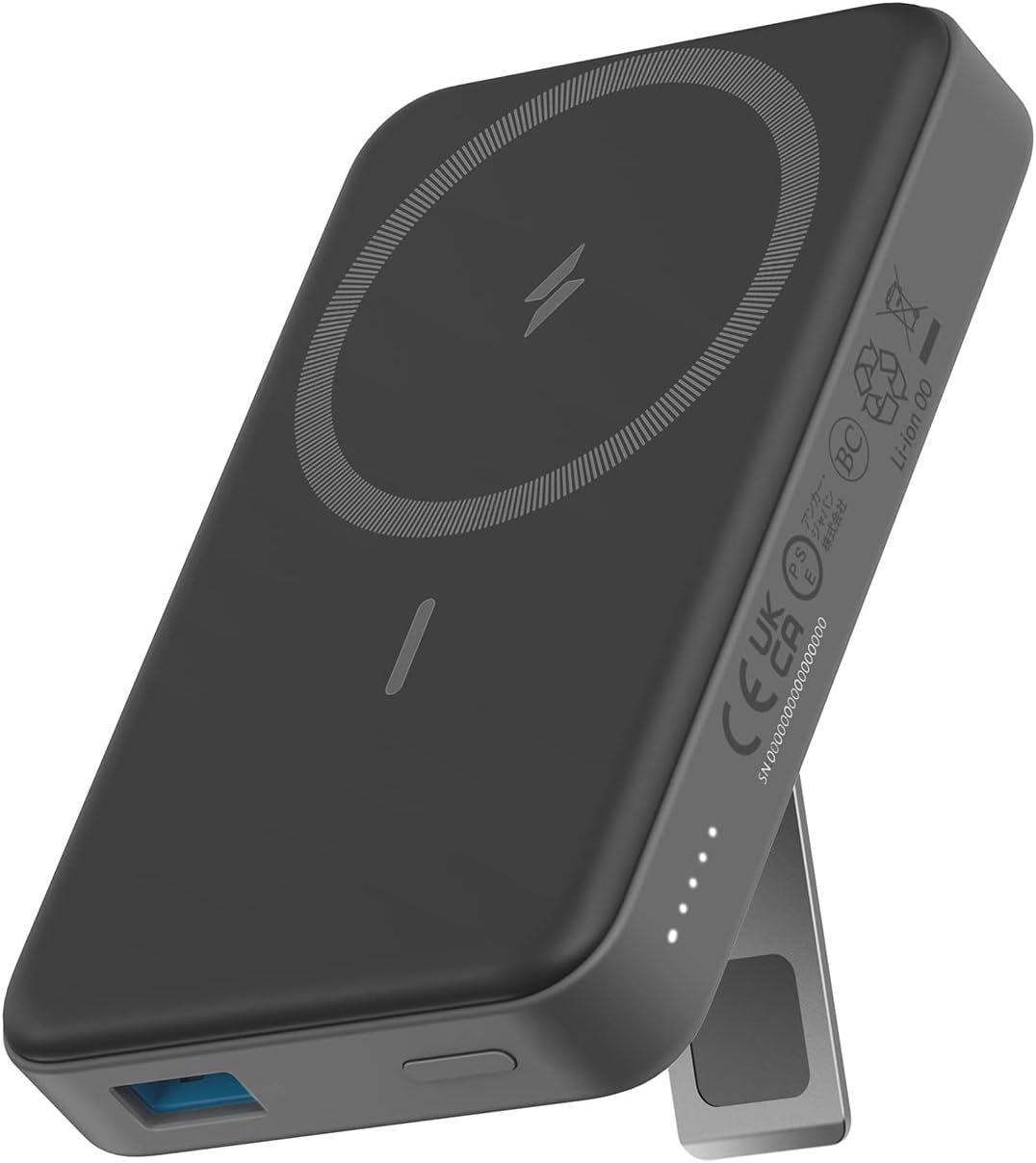
- Same core performance as the MagGo (15W MagSafe, 10,000mAh, pass-through charging)
- Foldable design doubles as a phone stand at home between shifts
- Folds flat against the phone during a shift with minimal disruption
- Slightly thicker than the Ultra-Slim MagGo
- Foldable kickstand adds noticeable bulk in a tight chest pocket on long shifts
Best for Android Riders: Baseus 10,000mAh Magnetic Power Bank
Android riders have fewer MagSafe-compatible options and the ones that exist are sometimes priced higher per feature than the iPhone equivalent. The Baseus 10,000mAh Magnetic is the most consistent wireless option for Android at a reasonable price.
It supports 15W Qi wireless charging, which works with any Qi-enabled Android phone. Pass-through charging is supported. The form factor is similar to the Anker options, compact enough for a chest pocket without bulk.
The catch for Android riders: MagSafe magnetic attachment is an Apple ecosystem feature. Most Android phones without a special case or accessory will not magnetically attach to a MagSafe power bank. The Baseus will wireless charge your Android phone but it will not stick magnetically to the back the way it does on a MagSafe iPhone. You will need to keep it in your pocket or use a phone case with built-in magnets to get the wireless charging to work from a mounted position.
The one thing I do not love about it:
The pass-through charging efficiency on the Baseus is slightly lower than the Anker options under sustained load. In testing, the Baseus ran slightly warm during simultaneous charge-in and charge-out, which is normal for pass-through charging but more noticeable than on the Anker. Under standard delivery shift conditions this is not a problem. On a very hot day running the bank hard for many hours, keep it in an exterior jacket pocket rather than close to your body.
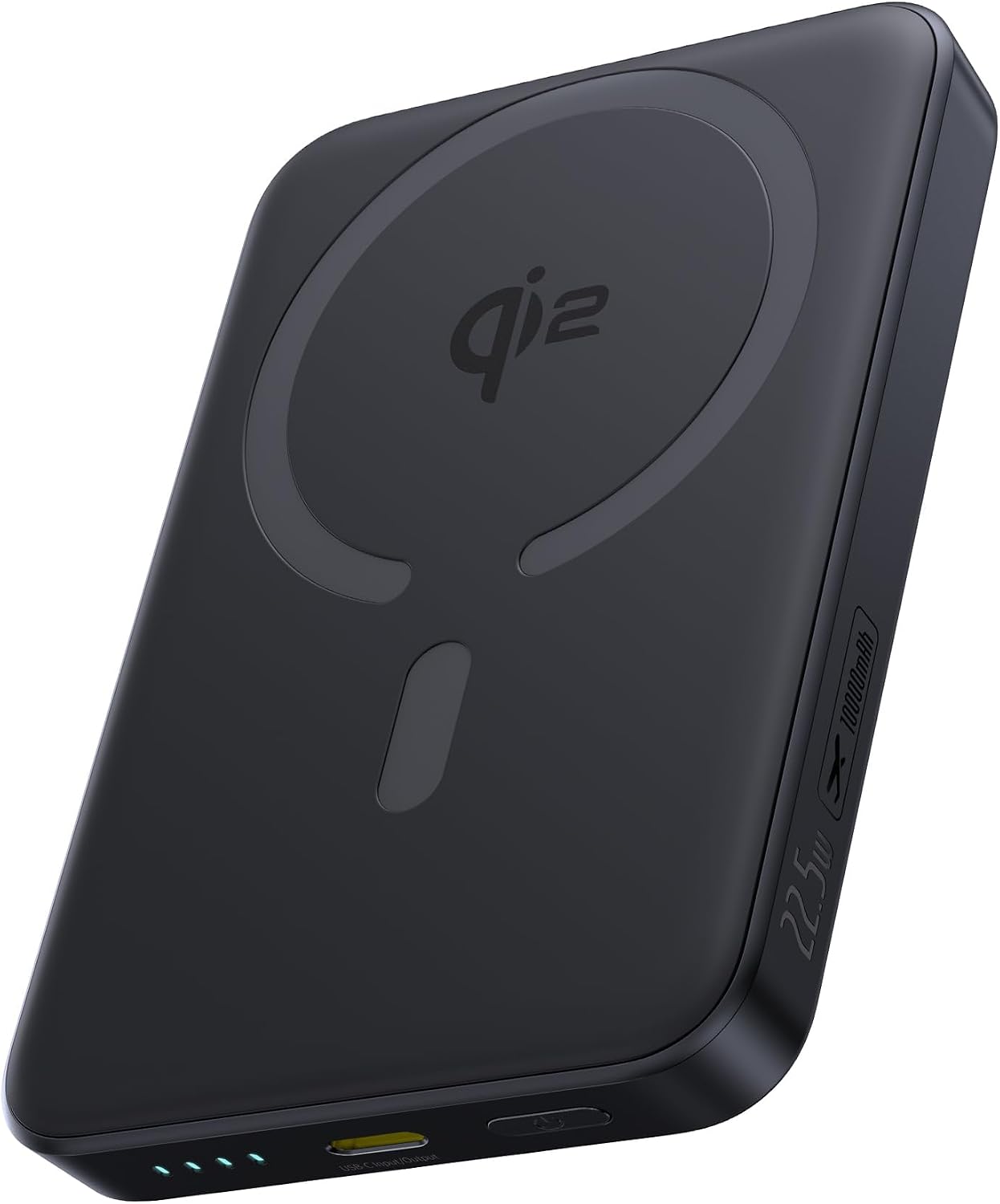
- Supports 15W Qi wireless charging compatible with any Qi-enabled Android phone
- Pass-through charging supported
- Compact form factor similar to the Anker options, fits cleanly in a chest pocket
- Will not magnetically attach to most Android phones without a special case or accessory, since MagSafe-style attachment is an Apple ecosystem feature
- Pass-through charging runs slightly warm under sustained load compared to Anker options
- Needs to be kept in a pocket or used with a magnetic case to charge wirelessly from a mounted position
Best Wired: Anker 533 PowerCore 10K
If wireless charging is not a priority and you want the lightest and most compact option on this list, the Anker 533 PowerCore 10K is the answer. It weighs around 6.7 ounces, has a USB-C and USB-A port, and charges a phone at 12W wired. Not the fastest output on this list but reliable and consistent across a full shift.
For riders who already have a good cable management setup or who use a wired phone mount charger and only need the power bank for extended top-ups, the 533 is the no-fuss option at the lowest price on this list.
The one thing I do not love about it:
No wireless charging. If your setup involves a handlebar mount, you need a cable running from the bank in your pocket to the phone in the mount. That cable needs to be routed so it does not catch on the delivery bag or the handlebars. Manageable with a short 6-inch right-angle USB-C cable, but it adds a setup variable that the wireless options skip entirely.

- Lightest and most compact option on the list at around 6.7 oz
- Includes both USB-C and USB-A ports
- Reliable, consistent 12W wired output across a full shift
- Lowest price on the list
- No wireless charging at all
- Requires a cable from pocket to phone mount, which needs careful routing to avoid catching on the delivery bag or handlebars
- Adds a setup variable (cable management) that the wireless options eliminate
The One Question Most Riders Do Not Ask
Does the power bank support pass-through charging while the delivery app is actively running?
This matters specifically for riders who want to top up the power bank at a restaurant with a USB outlet, at a charging station, or from a bike-mounted USB charger while they continue the shift. A bank that supports pass-through charging maintains output to the phone while simultaneously taking input from the charger. A bank that does not will pause charging the phone when it detects a charge input.
All four options on this list support pass-through charging. Not every power bank does. Before buying any option not on this list, search the product reviews specifically for "pass-through" to confirm it works under active load.
Carrying the Power Bank on a DoorDash or Uber Eats Shift
Jacket chest pocket is the best location for most riders. Close to the phone, no pressure on the hip during mounting, accessible without opening the delivery bag. A MagSafe bank attached to the back of a MagSafe phone in a chest pocket charges through the fabric of lighter jackets in some configurations.
Handlebar bag or top-tube bag works well for riders who do not want anything in their pockets. The bank sits in the bag, a short cable runs to the phone mount, and the whole setup is weather-exposed rather than jacket-protected. Use a weatherproof cable in this configuration and store the bank in a small dry bag if you are riding in rain.
Delivery bag exterior pocket is the least convenient option. The cable length needed to reach the phone in a handlebar mount from the bag on the rear rack is long enough to create management problems. If this is the only option available, a coiled short cable keeps slack off the handlebars.
The Full Tech Setup for a Delivery Shift
Power bank handles the battery. Phone mount handles the navigation. Together they define how smoothly the tech side of a shift runs.
Phone mount for keeping navigation visible and hands-free while riding between pickups. Best Motorcycle Phone Mount for Delivery Riders
The 9 Things setup guide covers the full first-shift tech stack including the phone mount, charger, and lights that work together as a complete system. 9 Things Every Gig Delivery Rider Needs Before Their First Shift
For a full breakdown of every power bank option at every price point including the Ridge comparison: Best Wireless Power Bank for Delivery Riders
The Bottom Line
A 10,000mAh wireless power bank that fits in a jacket pocket is the single most reliable way to keep your phone running through a full multi-app delivery shift without stopping to charge. The capacity covers any realistic shift length. The wireless option removes cable management from the equation. The compact form factor keeps it out of the way of how you actually ride.
For iPhone riders doing DoorDash and Uber Eats simultaneously, the Anker MagGo Ultra-Slim at $50 to $60 or the Anker 633 at $40 to $50 are the right picks. For Android riders, the Baseus handles wireless at a lower price. For anyone who wants the lightest wired option, the Anker 533 at $22 to $28 covers the basics cleanly.
Pick one before the next shift where you watch the battery percentage tick down and have to choose between taking another order and having enough battery to navigate home.